Airport grants are complex. Managing them shouldn't be.
Most airports track millions in FAA funding across spreadsheets, email threads, and shared drives. One missed deadline or wrong NPR can cost a year of entitlement funding.
01Data sprawl
Spreadsheets that break
Allocations, drawdown schedules, and phase budgets spread across a dozen files — all out of sync, one bad formula from a compliance problem.
02Timing risk
Deadlines that sneak up
Pre-application windows, obligation dates, closeout reports — each stage has hard FAA deadlines. Miss one and you risk this year's and next year's entitlement.
03Duplicate effort
Forms re-entered by hand
The SF-424, FAA 5100-100, and SF-270 all pull from the same project data — but it gets typed in from scratch every time, with no guarantee of consistency.
What you get
Everything your CIP and grants need in one place
01
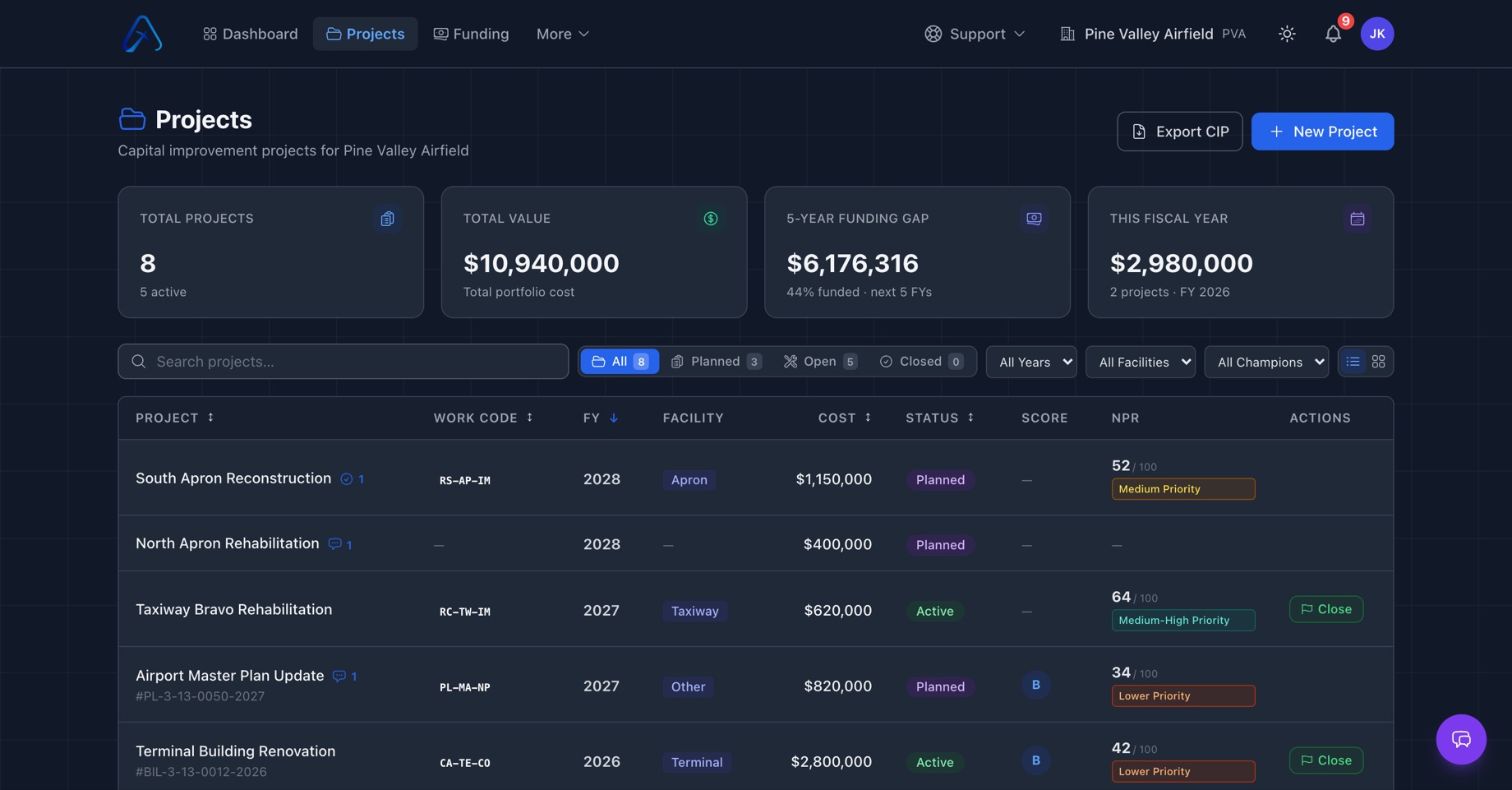
Your whole CIP, organized
Every capital project in one place — organized by airport, fiscal year, facility, and status. Cost rollups and totals update automatically, so your current CIP is always a single source of truth, not a folder of stale spreadsheets.
Projects + dashboard
02
Phase-level project planning
Break each project into the phases FAA actually funds — planning, design, construction — and assign a project manager or champion to every one. NPR scores are auto-calculated per FAA Order 5090.5 as you build, so priorities are always current.
Phases · Champions · auto NPR
03
Phase-level grant tracking
Allocate one grant across multiple project phases, or confirm one phase ties to one grant — exactly how FAA actually structures funding, not how generic project management tools guess it works.
CIP + Grant linked
04
Streamlined workflows
Pre-fill the SF-424, 5100-100, and SF-270 straight from data you've already entered, turn paid invoices into drawdown requests in a click, and stay ahead of execution and closeout deadlines with automatic reminders. The recurring grant busywork runs in the background, so nothing slips and your team stays focused on the projects.
Forms · Drawdowns · Reminders
05
Visual grant lifecycle
Track every grant from Pre-Application through Closeout in a single view. Collapsible stage panels, status checklists, and document assignments at each step — nothing falls through the cracks.
Pre-App → Closeout
06
Tasks, teams, and vendors
Assign tasks with due dates to staff, consultants, and vendors — everyone sees exactly what they owe and when. Your consultants get their own vendor portal login, so documents and updates flow through one system instead of endless email chains.
Tasks · Vendor portal
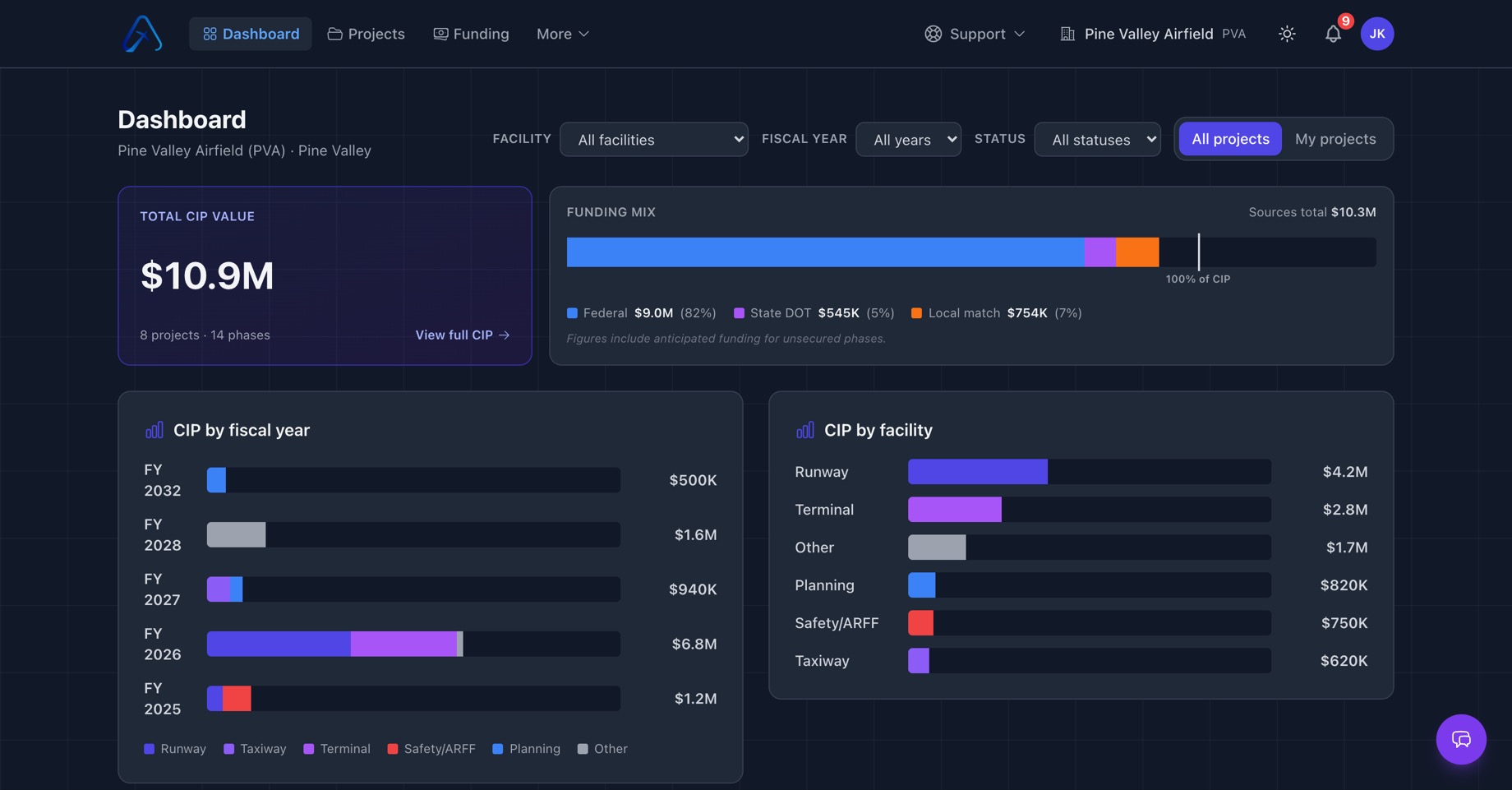
02 · The dashboard
See every dollar, every phase, at a glance.
Federal share, state, PFC, local match — broken down by fiscal year and facility, all in one view.
app.airportscip.com / dashboard
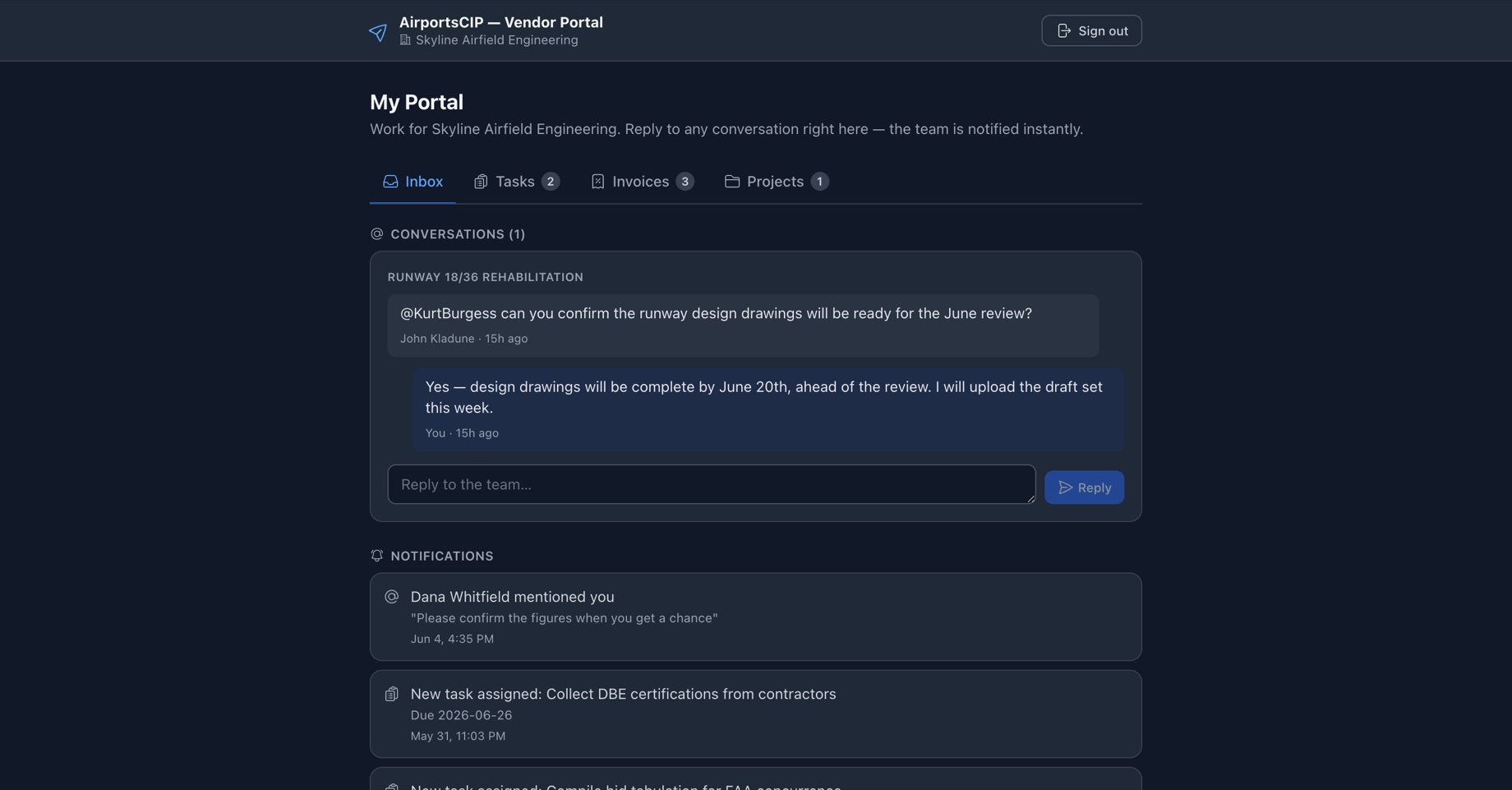
03 · The vendor portal
Your consultants get a portal, not another email chain.
Every consultant and contractor gets their own login — assigned tasks, document handoffs, and invoice submissions all flow through one system. No per-seat fees, ever.
app.airportscip.com / portal
How it works
From CIP to grant closeout
1
Build your CIP
Add projects and phases. Classify each one as Necessary or Related, assign FAA work codes, and let the platform calculate NPR scores automatically.
2
Link your grants
Create grants and allocate funding to specific phases. Track federal share, local match, and BIL/IIJA amounts separately for each project component.
3
Work the lifecycle
Move each grant through Pre-App → Application → Award → Active → Closeout with stage-specific checklists and document tracking at every step.
4
Generate and submit
Export pre-filled FAA forms. Track drawdowns. Document everything. Close grants cleanly — and start the next cycle without starting from scratch.
Grant Marketplace
We don't just manage your grants — we help you find new ones.
Our team continuously scans federal and state funding sources and posts the opportunities
your airport is eligible for, right inside AirportsCIP. Funding you'd otherwise miss shows up
in your account — no hunting across a dozen sites.
Always current
New opportunities added as our grant experts find them.
Matched to your airport
See what fits your projects and eligibility.
Track to award
Move an opportunity straight into your grant pipeline and lifecycle.
Built by people who've sat on the FAA side of the table
AirportsCIP was built by former FAA airport planners who've prepared grant applications
and managed CIPs for airports nationwide — including a decade at FAA Headquarters
working on the AIP program itself. We built the tool we always wished sponsors had.
Ready to simplify your grant management?
See it working for your airport
We'll walk through your current CIP and grant portfolio together — live.
No slide deck, no sales pitch. Just the product and your actual workflow.